Chris's blog
一些作lab的測試筆記
顯示具有
SolidFire
標籤的文章。
顯示所有文章
顯示具有
SolidFire
標籤的文章。
顯示所有文章
2017年7月1日 星期六
SolidFire Return to Factory Install (RTFI)
1.SolidFire如需還原出廠狀態,可透過Return to Factory Install (RTFI)的流程還原出廠狀態(此動作會清空Node上面所有資料),先到NetApp網站下載對應版本的RTFI ISO檔案
2.登入到要還原的Node IDRAC,預設帳號root,密碼calvin
3.開啟Virtual Console
閱讀更多 »
2017年4月4日 星期二
SolidFire VVol測試(二)
SolidFire VVOL功能啟用方式:
NetApp SolidFire VVol測試(一)
設定VVol QoS (Per-Virtual Machine)
在建立Virtual Machine時透過套用不同的VM Storage Policies,就可以讓Virtual Machine依需求選擇不同等級的QoS
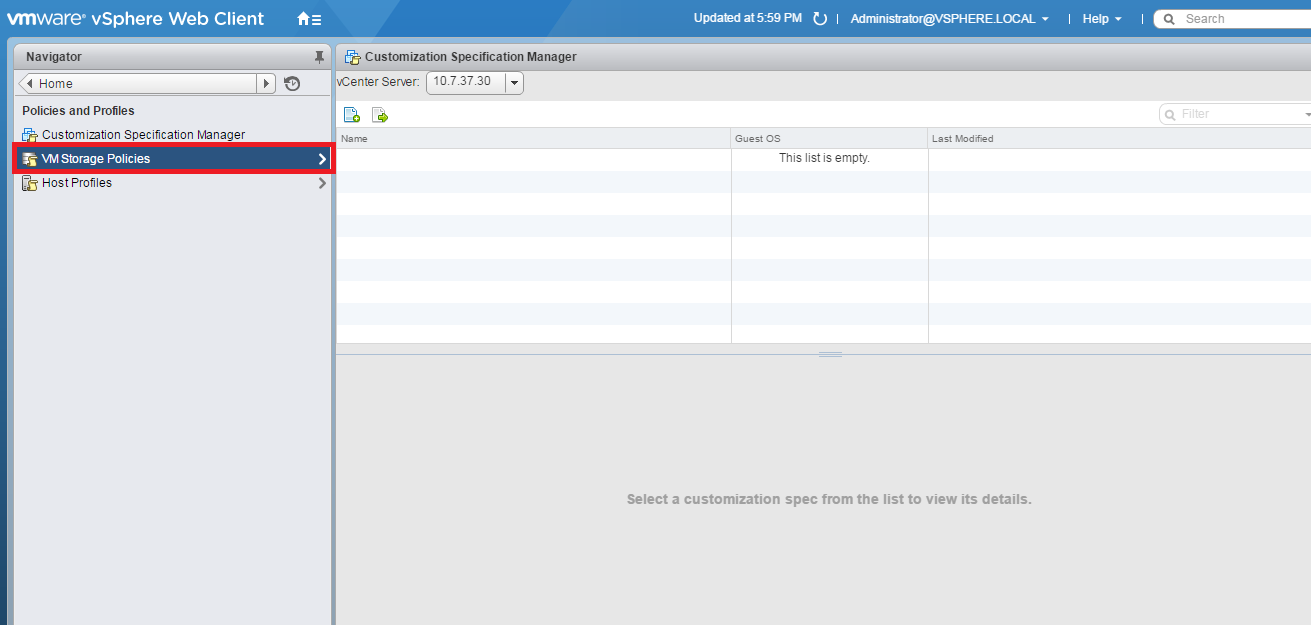
1.點選Policies and Profiles
2.點選VM Storage Policies
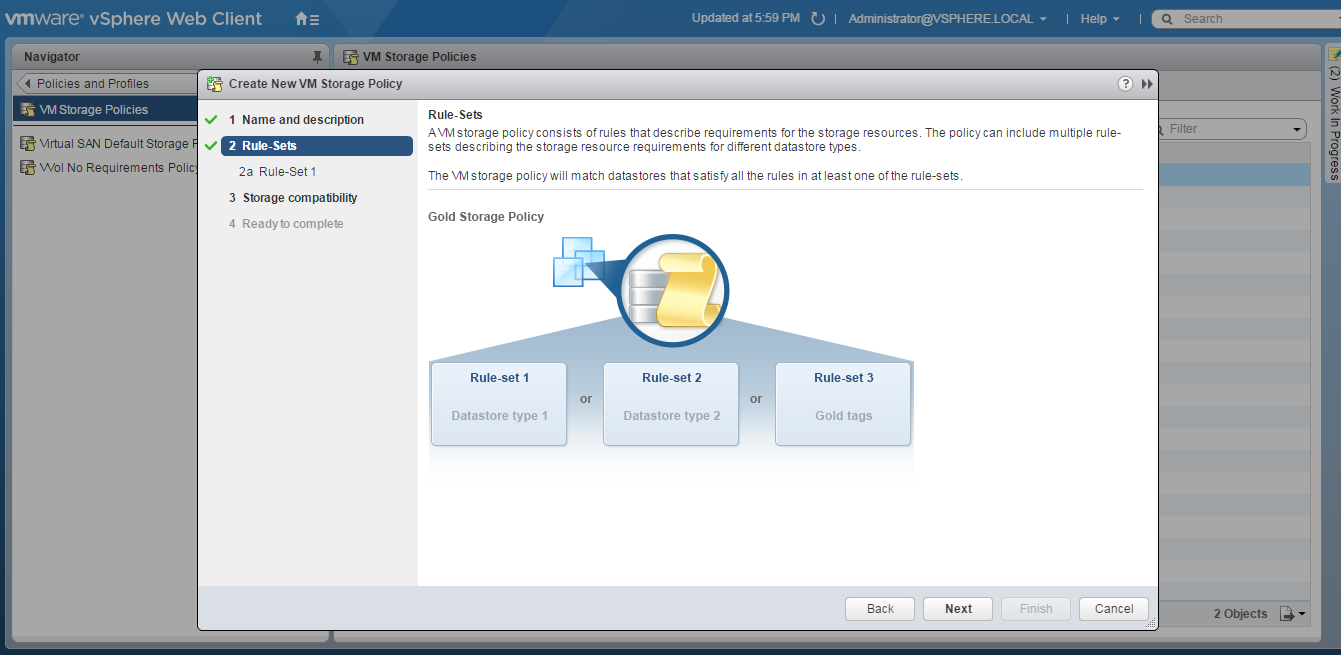
3.點選Create a new VM storage policy
4.輸入Policy Name
5.Next
閱讀更多 »
2017年3月21日 星期二
SolidFire VVol測試(一)
設定VVol Datastore
NetApp SolidFire Element OS 9 支援VMware VVOL,可透過VVol設定單一虛擬機的QoS或是快照
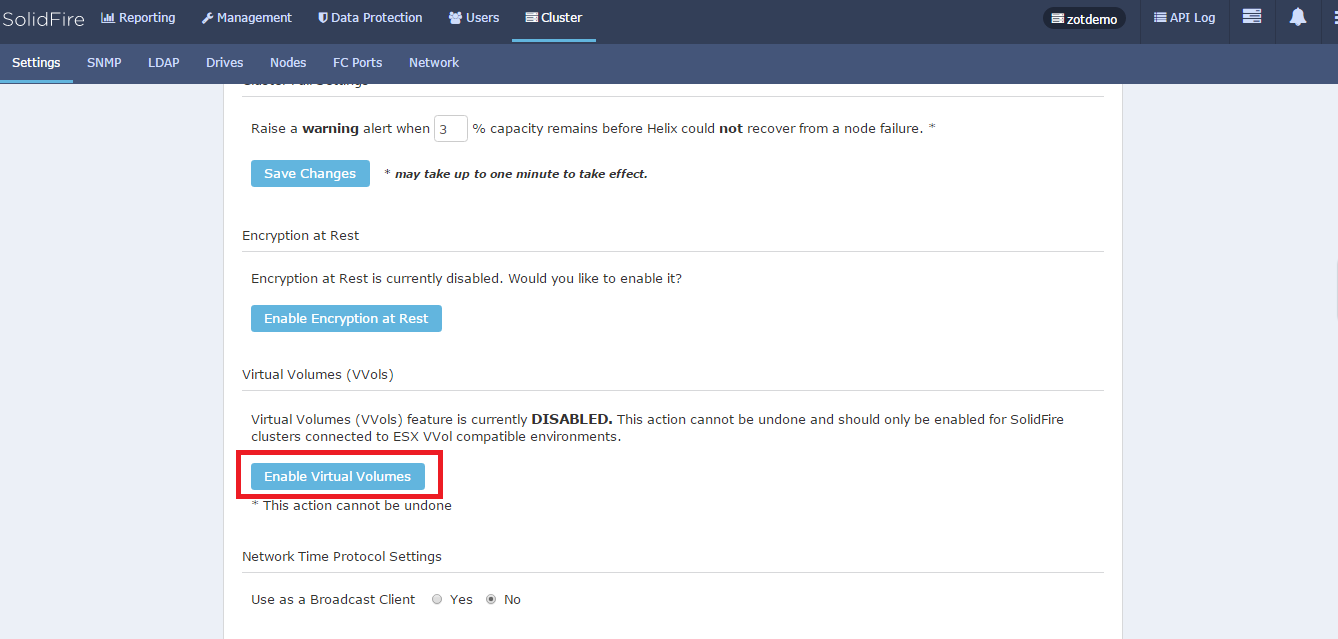
1.可從Cluster選項啟用 VVols功能
2.確認
3.啟用VVols 可看到VASA Provider URL,上面頁籤選項也會多出VVols選項
4.選擇VVols頁籤,點選Create Storage Container
5.輸入Container名稱,點選Create Storage Container
閱讀更多 »
2017年3月5日 星期日
SolidFire Plug-in for vCenter 2.7
安裝SolidFire-plugin
1.
下載plugin檔案solidfire-plugin-2.7.0.xml
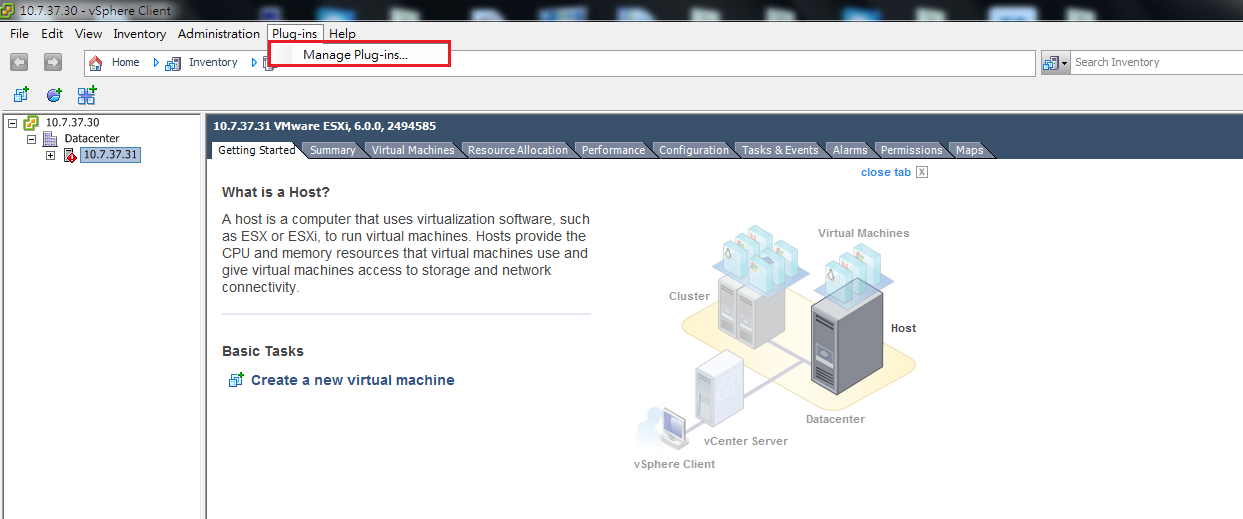
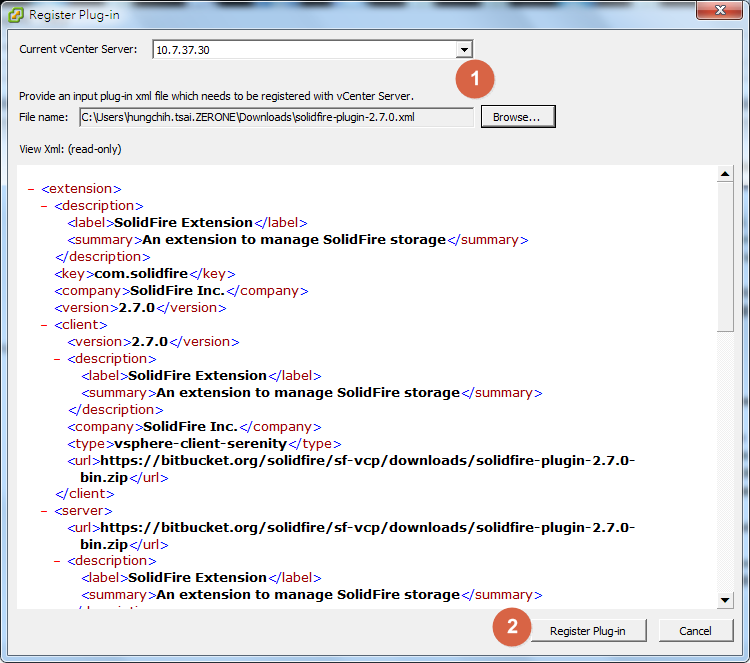
2.從vsphere client->Plug-ins->Manage Plug-ins
3.點選右鍵選擇New Plug-in
4.選擇plugin所在路徑,Register Plug-in
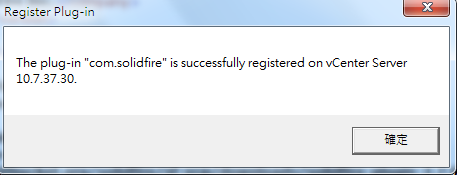
5.Register完成
閱讀更多 »
2017年2月23日 星期四
SolidFire Cluster建立步驟
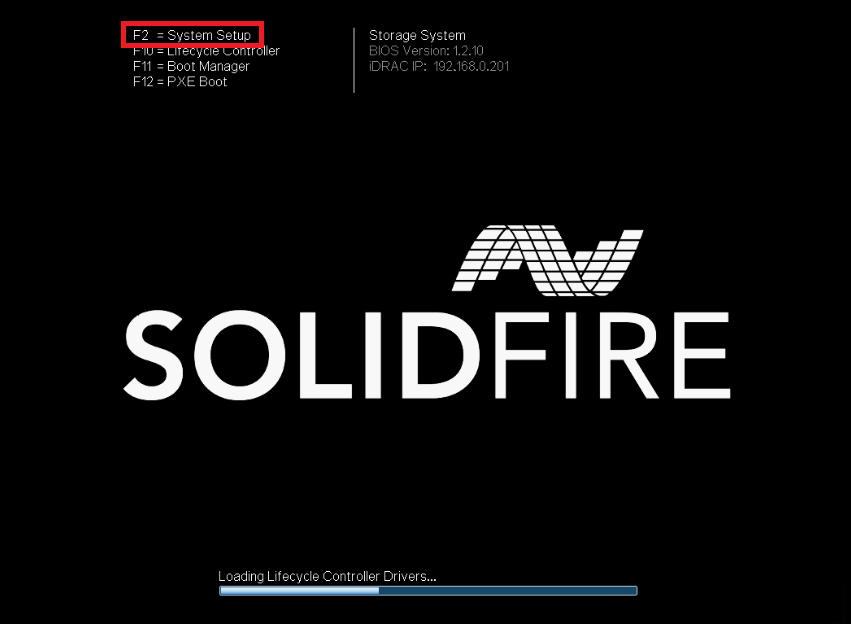
1.SolidFire開機時畫面
2.如需設定iDRAC可在此按F2進入設定
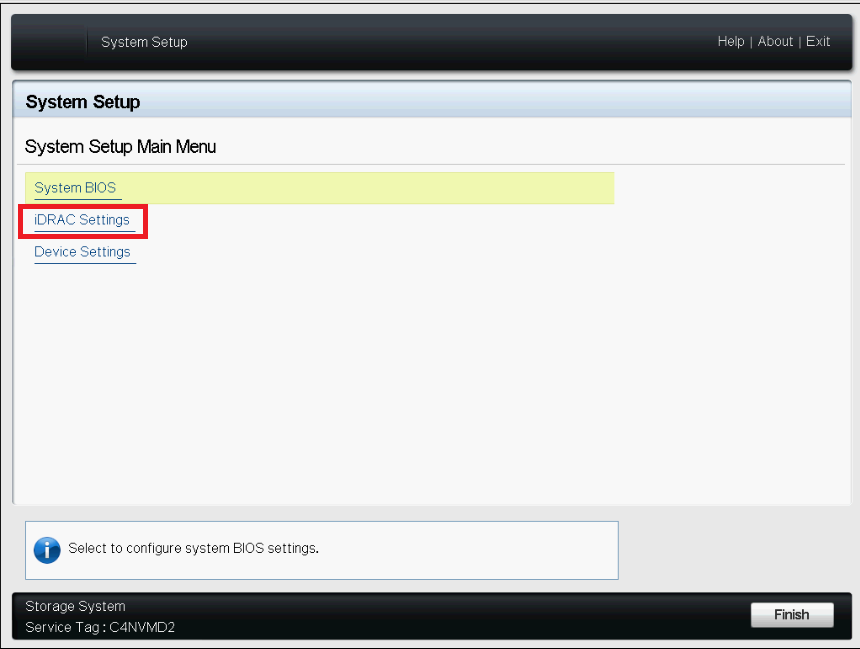
3.iDRAC Settings
4.Network
5.設定iDRAC IP,設定完後儲存設定離開
閱讀更多 »
較舊的文章
首頁
訂閱:
文章 (Atom)